

Google Business Profile posts are great for informing existing and potential customers about what your business has been up to lately.
They appear inside Google Search and Google Maps, which makes them incredibly useful. Plus, they are very easy to use on a regular basis. You can put out offers, events, and general updates where intent is already hot, and attention is already paid.
However, the native Google workflow works well for a single location, but when it comes to running a serious local marketing operation, you need help.
That’s why I’ll show you how to make the process far easier to manage using a Google posts scheduling tool like Localith. Plus, you’ll learn more about them and how to publish them using the existing tools via the Google Business Profile dashboard. If you need help finding the right native controls first, start with our guide to the Google Business Profile dashboard.

Publish Google posts across all your locations from one dashboard. Create, schedule, and manage posts for every location with AI content generation and CSV bulk publishing.
Start free trialWhat are Google Posts?
Google Business Profile posts are updates that businesses can publish directly on their Business Profile to share announcements, offers, updates, and event details with customers on Google Search and Google Maps. They can include text, photos, or videos, and they can appear in the “Updates” or “Overview” tabs on mobile and in the “From the owner” section on desktop.
In practice, Google Business Posts work like mini content units attached to your listing. Instead of hoping someone clicks through to your website first, you can put the message right inside the profile they are already viewing, which helps with conversions.
They are especially useful when you need to communicate something timely: a promotion, a new service, an upcoming event, a seasonal update, or a strong call to action. Google also lets customers interact with certain post types through action buttons.
Here is a simple breakdown of the three main post types you will use most often:
| Google Post type | Best for | Required elements | Optional elements | CTA behavior |
|---|---|---|---|---|
| Update | General business news, service updates, launches, announcements | None beyond the main post content | Photo, video, description, action button | Lets you add an action button |
| Offer | Promotions, discounts, limited-time deals | Title, dates, time | Photo, video, description, coupon code, link, terms and conditions | Automatically includes a “View offer” button |
| Event | In-store events, webinars, launches, seasonal happenings | Title, start/end dates, time | Photo, video, description, action button | Lets you add an action button |
This table matters because choosing the wrong post type creates friction fast. A promo disguised as an update is weaker than an offer. An event posted as a generic update loses structure and urgency. The format should do some of the heavy lifting for you.
Why do Google Business Profile posts still matter?
Google Business Profile posts still matter because they help businesses turn a static listing into a more active, useful customer touchpoint. When someone finds your profile, these posts let you shape what they see next instead of leaving that moment to chance.
Google is still one of the main places people check when researching local businesses. In SOCi’s 2024 Consumer Behavior Index, 72% of consumers said they use Google Search or Google Maps to look up local business information. If your profile is where people are already looking, your posts become one more way to influence the decision in real time.
Here are the biggest benefits of Google Business Profile posts:
- They keep your profile fresh: regular posts show that your business is active, current, and paying attention to its online presence;
- They highlight timely updates: you can quickly share promotions, announcements, seasonal changes, launches, or service updates right inside Google;
- They support customer actions: posts can guide people toward the next step, whether that is booking, calling, ordering, or learning more;
- They improve message visibility: instead of hiding important updates on your website, you place them directly on your Business Profile in Search and Maps;
- They help multi-location brands stay relevant: different locations can use posts to communicate offers, events, or updates that matter to their local audience;
- They add more conversion opportunities: a well-written post gives customers another reason to engage with your business instead of moving on to a competitor.
Used well, Google Business Profile Posts help businesses stay visible, relevant, and action-oriented at the exact moment customers are deciding what to do next.
How to publish Google Business Profile posts natively?
If you only need to post occasionally, the native Google route is the logical place to start. Google’s current process is straightforward and official.
Here are the steps you need to know:
- Go to your Google Business Profile dashboard;
- Click ‘Posts’ then ‘Add post’;
- Choose Update, Offer, or Event;
- Add your description, media, and extra details;
- Add a CTA where relevant;
- Preview the post;
- Publish it or schedule it.
That gets the job done for one-off publishing. It’s clean, direct, and perfectly fine for businesses that post now and then. Watch this video to check out the full process:
These are the details you need to know before you hit publish:
- Posts that include a phone number may be rejected,
- Posts must follow the posts content policy, and
- Older posts are archived after six months unless a date range is set.
Limitations of publishing Google posts natively
The native method works until your business starts growing, and all of a sudden, you have to manage posting updates for multiple Google locations.
A few native limitations stand out:
- Manual repetition: publishing one post is simple, but repeating the process across many locations eats time quickly;
- Harder brand consistency: it gets easier for tone, offers, timing, and CTAs to drift when multiple people manage posts;
- Messy multi-location execution: regional campaigns, franchise updates, and localized offers become harder to coordinate cleanly;
- Weaker workflow control: drafting, reviewing, planning, and managing campaigns across a calendar is more awkward than it should be;
- Limited operational visibility: teams often need a cleaner way to oversee what was posted, where it went live, and how the workflow is performing.
So the issue stops being: “Can Google publish a post?” and it becomes: “Can my team run posting as a repeatable system without wasting time or losing control?”. If the same team is also juggling listings, reviews, and bulk updates, this usually turns into a wider how to manage multiple Google Business Profiles problem.
If you are also dealing with bulk profile updates, the same scaling problem applies across your entire GBP workflow.
How to publish and manage Google Business Profile posts with Localith
Localith is the better option once you need structure, consistency, and scale, as you get a managed workflow instead of treating Google Posts like separate chores.
That changes the day-to-day reality in a big way. You can create posts faster, keep brand messaging consistent, work across multiple locations more efficiently, and manage everything from one place instead of hopping around like a caffeinated squirrel. If you want to add Claude, Google Sheets, and n8n to that system, use a controlled workflow to automate Google Business Profile posts without skipping human approval.
Here’s how all that works in practice once you create your Localith free trial:
- Connect your Google Business Profiles.
- Navigate to the ‘Publishing’ section.
- Create the Google post with the right copy, media, and CTA.
- Plan ahead with the content calendar.
- Use the AI Content Planner to generate a full publishing plan.
1. Connect your Google Business Profiles
First things first, you must connect your Google account with Localith. You can do so by signing into your Google account via Localith and granting some permissions:

2. Navigate to the ‘Publishing’ section
Next, head on over to the Publishing Posts section in Localith from the left-side ribbon menu. Once there, you just have to tap ‘Create post’ to start the process:

3. Create the Google post with the right copy, media, and CTA
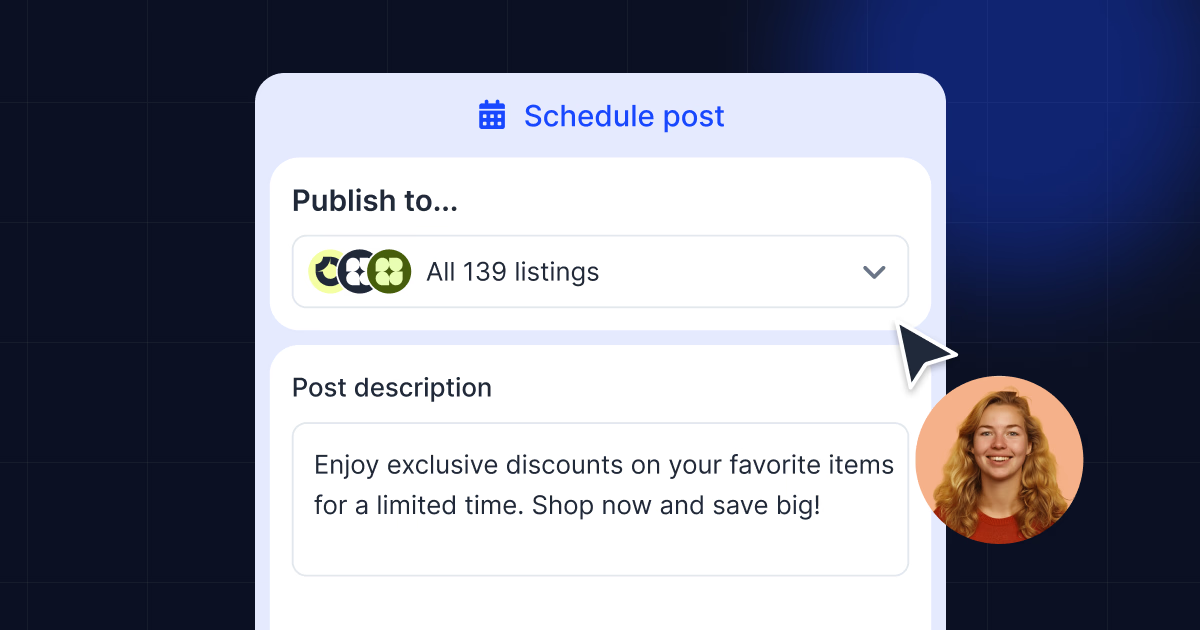
Here you can select all the Google locations where you want the post to go live, choose the type of post you want to create, add a title, details, image, and CTA button:

4. Plan ahead with the content calendar
Once your posts are scheduled, they show up in the content calendar. This gives you a clear view of what’s going out, when, and across which locations. You can drag posts to reschedule, spot gaps in your publishing rhythm, and make sure no location goes quiet for too long.

5. Use Localith’s AI Content Planner
If you’re not sure what to post next, Localith can help with that, too. The AI Content Planning feature generates a full publishing plan based on your business type, location details, and goals. Instead of staring at a blank screen, you get a structured set of post ideas ready to review, edit, and schedule. With it, you can generate a full month of Google posts in a few clicks.
Here’s what to do:
- Go to the Publishing tab from the left ribbon menu.
- Click Plan content in the top-right corner.
- Click Generate with AI.
- Fill in the relevant details:
- Select the month you want to plan posts for.
- Enter the number of posts you want to create.
- Choose the post types: Updates, Offers, and/or Events.
- Select whether to create posts for all locations or specific locations.
- Add any special dates or events you want the AI to mention.
- Click Create content.

Remember: All AI-generated posts are saved as drafts first. Nothing gets published until you review, edit, and approve the content yourself.
The above process matters most for chains, franchises, agencies, and multi-location service brands, as a single-location business may be able to live with a mostly manual process, but a multi-location business needs a third-party GBP management platform!
Here’s a recap interactive video covering the process:
Publish Google Posts: Native vs Localith approach
Here are the practical differences between the two approaches:
| Workflow area | Native Google | Localith |
|---|---|---|
| One-off publishing | Good for simple manual posting | Also easy, with more workflow control |
| Multi-location publishing | Becomes repetitive and harder to manage at scale | Built for publishing across one or many locations more efficiently |
| Brand consistency | Depends heavily on manual discipline | Easier to standardize while still adapting locally |
| Drafts, planning, and approval flow | Basic and less operationally friendly | Better suited to repeatable team workflows |
| Central oversight | More fragmented | Managed from one central dashboard |
| Ongoing campaign execution | Workable for lighter needs | Stronger for serious local marketing operations |
Using Google’s native controls is not pointless or useless. That said, as you can see, Localith is more practical once posting becomes part of a wider GBP strategy.
Google Business Profile Posts best practices
The fastest way to improve your Google Business Profile posts is to start treating them like purposeful business updates. A few best practices make the biggest difference:
- Choose the right post type: use updates for business news, offers for promotions, and events for time-sensitive activities;
- Lead with the main message: put the key point early so people do not have to dig through fluff to understand the post;
- Use visuals that actually support the post: pick images or videos that match the message instead of filling the slot with generic noise;
- Match the CTA to the goal: a strong action button should fit the post, not feel stapled on at the end;
- Stay locally relevant: adjust wording, timing, and offers when different branches need different messages;
- Keep a consistent posting rhythm: steady activity usually beats random bursts followed by long silence;
- Write like a business, not a hype machine: Google explicitly recommends professional, respectful, relevant content and warns against distracting or low-value text;
- Respect Google’s content rules: avoid risky links, offensive content, and problematic wording such as phone numbers in the post description.
And the most important tip: stay on top of all these at all times!
Conclusion: Use Google Business Profile posts to stay visible and consistent!
Google Business Profile posts are still worth using because they help businesses publish timely content directly in Search and Maps, where buying intent is already alive and kicking. Native Google posting is a good place to start, especially if your needs are simple.
But simplicity does not scale well.
Once you manage multiple locations, multiple campaigns, or multiple people touching the same workflow, you need help with your Google Business Posts publishing.
That is where a dedicated Google Posts workflow earns its place.
It turns Google Business Profile posts from a series of repetitive tasks into a system your team can actually run with confidence. Use the native option to learn the basics. When you are ready to publish like you mean it, start a free trial of Localith.

Run every Google Business Profile from one operating dashboard. Localith centralizes listings, reviews, posts, and analytics so your team can manage every location without jumping profile to profile.
Start free trial